How to Digitize Your Wardrobe: A Step-by-Step Guide
To digitize your wardrobe, photograph each piece on a plain background, record a few details you'll search by — category, colour, size, season — and keep it all in one place, either a wardrobe app or a spreadsheet. Start with the twenty pieces you wear most, add the rest gradually, and log what you wear.
The result is a digital wardrobe — also called a virtual closet or a wardrobe inventory, and digitised rather than digitized if you're in the UK. It's a searchable catalogue of everything you own, on your phone, so you can plan outfits, check what you already have before you buy, and see which pieces you never actually wear.
The short version
- Pick an app or a spreadsheet before you start.
- Photograph your twenty most-worn pieces first, each on a plain background in daylight.
- Record the details you'll search by: category, colour, season, size, brand and price.
- Add everything else a few pieces at a time, as you wear or wash them.
- Log each wear, so your digital wardrobe shows what you actually use.
Why digitize your wardrobe?
Most wardrobes hold far more than their owners remember. WRAP, the UK waste charity, estimated in 2012 that around 30% of the clothing in the average UK wardrobe had not been worn for at least a year. The Ellen MacArthur Foundation estimated in 2017 that the number of times a garment is worn had fallen by 36% over fifteen years.
Seeing everything in one place changes that. University of Glasgow researchers who interviewed users of a wardrobe-digitising app found that many were surprised by how much clothing they owned, and that knowing what they already had made them less inclined to buy more. It also makes cost per wear something you can actually measure rather than guess.
Step 1: Start with the twenty pieces you actually wear
The commonest reason a digital wardrobe never gets finished is trying to photograph everything on day one. Start with the twenty pieces you reach for most — the jeans, the jumper, the coat, the shoes you live in. That's an evening's work, and it's enough to start planning outfits straight away. Seasonal and occasion pieces can wait.
Step 2: Photograph each piece the same way
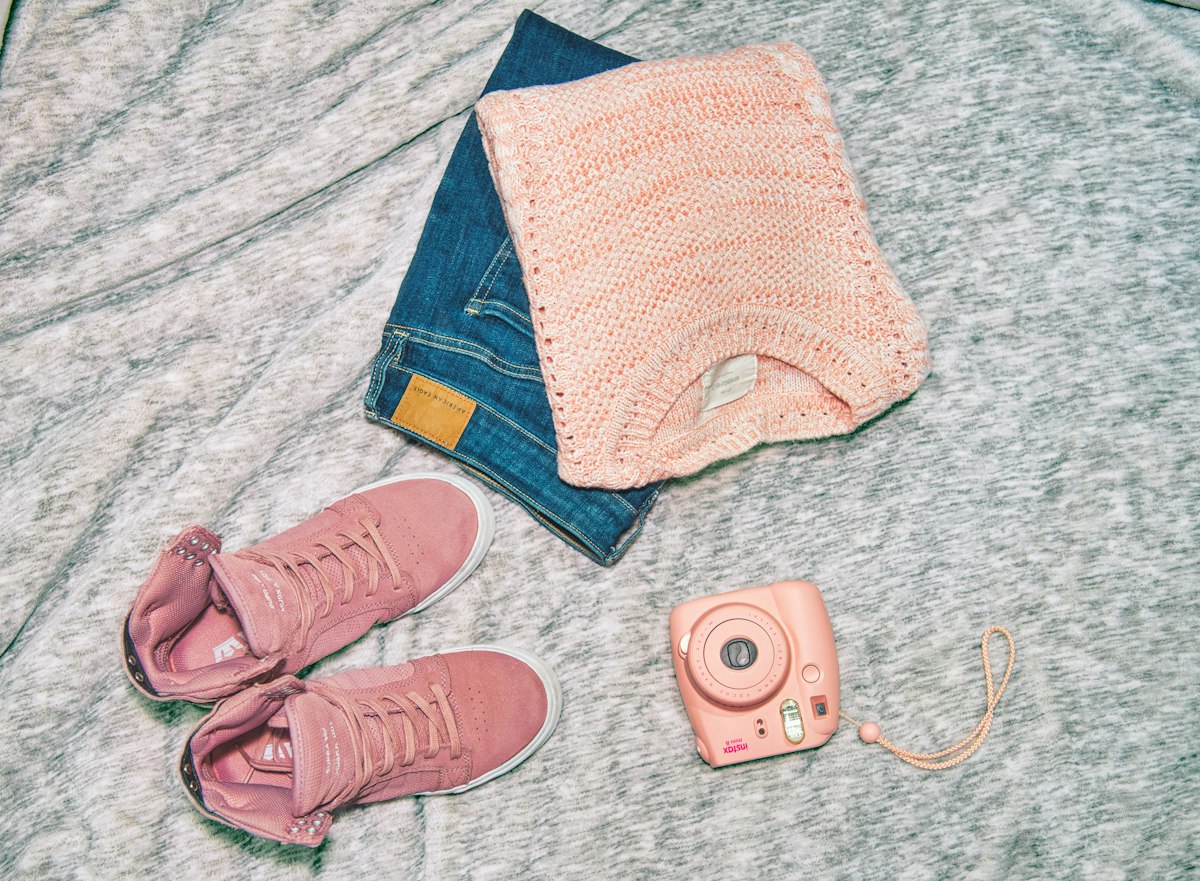
- Use a plain, light background: a bed sheet, a white door, a clean floor.
- Shoot in daylight, near a window, without flash.
- Lay the piece flat or hang it, and keep the whole garment in frame.
- Use the same angle every time, so everything looks like it belongs to one wardrobe.
- Photograph flaws separately; they matter later if you ever sell or swap it.
Step 3: Record the details you'll search by
Only record what you'll use to find or filter things later. For most people that means category, colour, season, size and brand — plus the price and roughly when you bought it, if you want to track cost per wear. Material and care instructions are worth adding for anything delicate.
Step 4: Add the rest gradually
Add a few pieces whenever you wear or wash them, and add new purchases the day they arrive. Within a few weeks the whole wardrobe is in. Anything still not added after a season is worth a hard look: if you never needed it enough to photograph it, it may be nothing you'll wear.
Step 5: Log what you wear
This is the step that turns a catalogue into something useful. Logging a wear takes seconds, and after a month you'll know your real favourites, the pieces you never touch, and your cost per wear for each. The pieces that never get worn are the ones to swap or lend to a friend.
App or spreadsheet for a wardrobe inventory?
A spreadsheet is free, private and completely under your control, and it's enough if you mainly want to know what you own and what it cost. An app is faster to add to, shows photos, can count wears for you, and can suggest outfits. If you start with a spreadsheet, these columns cover what most people need:
Item | Category | Colour | Season | Size | Brand | Bought | Price | Times worn | Condition | Notes
Example: Navy wool coat | Outerwear | Navy | Autumn/Winter | M | [brand] | 2025-10 | 180 | 42 | Good | Dry clean only
What to look for in a digital wardrobe app
- Fast adding: take a photo and have the details suggested, rather than typing everything.
- Several pieces from one photo, so you can photograph a pile or a rail at once.
- Adding a purchase from its product link, so online buys arrive with photos and details.
- Wear logging and cost per wear.
- Outfit building and planning, so the catalogue becomes something you use daily — including AI outfit suggestions from your own clothes, if you want them.
- Privacy controls: who can see each piece, and whether you can export or delete everything.
- AI features you can ignore. Plenty of people want a plain catalogue, and a good app works without the extras.
“A digital wardrobe isn't finished when everything is photographed. It's finished when you check it before you shop.”
— The Bestis Editors
Frequently asked questions
What is a digital wardrobe?
A digital wardrobe is a catalogue of the clothes you own, kept on your phone or computer, usually with a photo and a few details for each piece. You can search it, plan outfits from it and track how often you wear things.
How long does it take to digitize your wardrobe?
Twenty pieces takes about an evening once you have a routine. Most people finish over a few weeks by adding pieces as they wear or wash them, rather than in one go.
Can you digitize your wardrobe for free?
Yes. A spreadsheet and your phone camera cost nothing, and many wardrobe apps have a free tier. Paid plans usually add things like unlimited items or outfit suggestions.
Do I need to photograph every item?
No. Start with the pieces you wear most and add the rest gradually. Seasonal and occasion pieces can be added when they come out of storage.
How do you photograph clothes for a digital wardrobe?
Lay or hang each piece against a plain, light background in daylight, keep the whole garment in frame, and shoot from the same angle every time so the catalogue looks consistent.
Is a spreadsheet enough for a wardrobe inventory?
For knowing what you own and what it cost, yes. An app is quicker to add to, shows photos, counts wears and can suggest outfits, which is why most people who keep going end up using one.
Sources
- Deirdre Shaw and Katherine Duffy, University of Glasgow: Digitising your wardrobe can help you save money and make sustainable fashion choices (The Conversation, February 2024).
- WRAP, Valuing Our Clothes: the true cost of how we design, use and dispose of clothing in the UK (2012).
- Ellen MacArthur Foundation, A New Textiles Economy: Redesigning fashion's future (2017).
In Bestis, your wardrobe is the vault. Snap a photo and the details are suggested for you; photograph several pieces at once and they're split into separate items to review; paste a product link to add something you bought online. Every wear you log feeds your cost per wear, and you choose who sees each piece — just you, your circles or your friends — which is what makes lending and swapping easy.
Start swapping your style
Bestis is the private network where you swap, borrow and sell with the people you trust.